




Liquor Store Holiday Playbook: 8 Sales-Boosting Strategies
If you sell beer, wine, or other canned alcoholic beverages in certain states, bottle deposits are part of your daily operations — whether you’ve fully figured them out or not.
In this article, we’ll cover what they are, what the law requires of retailers, and how to manage them correctly.
What Are Bottle Deposits?
A bottle deposit is a small, refundable fee added to the price of a beverage container at the point of sale. The customer pays for it when they buy the drink, and gets it back when they return the empty container to a store or redemption center.
Deposit amounts typically range from 5 to 15 cents per container, depending on the state and container type.
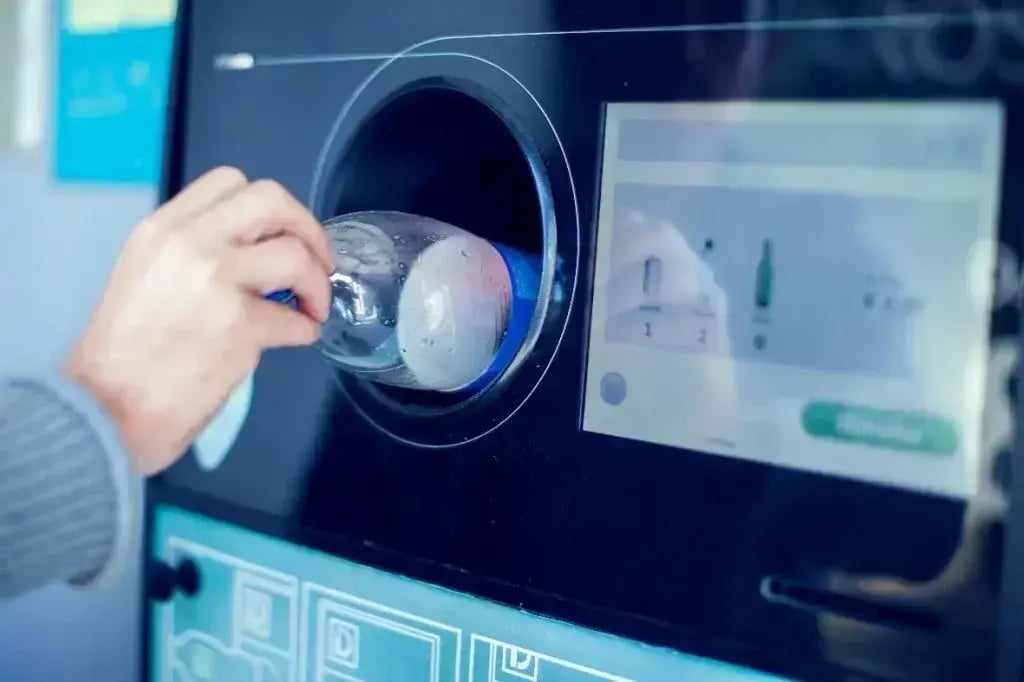
Bottle deposits, also called “bottle bills,” are an eco-friendly recycling initiative — beverage containers make up 40–60% of the litter in states without deposit laws, but that figure drops down to under 9% in deposit states.
(Image source: Global Trash Solutions)
Historically, these programs have worked well — redemption rates average above 90%.
The materials recovered through deposit programs also tend to be higher quality than those collected by curbside recycling. CalRecycle reported that single-stream curbside collection produces lower-quality scrap than deposit-stream returns, and lower-quality scrap recycles into new products far less effectively.
Which States Have Bottle Deposit Laws?
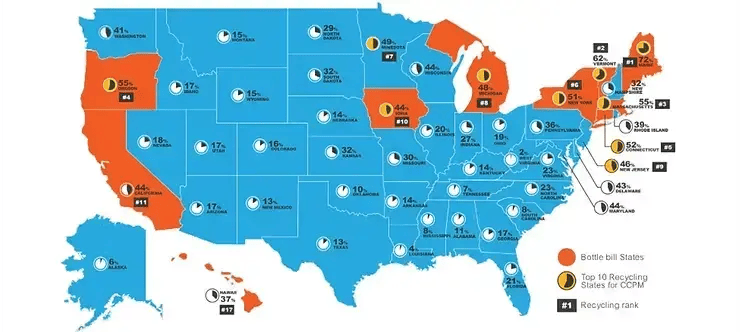
Currently, 10 U.S. states and Guam have active container deposit laws.
(Image source: Stewardship Action Foundation)
Here’s the full list with links to each state’s program details:
If your store operates in any of these states, then bottle deposit laws are directly relevant to you — beer, wine, and spirits are all covered beverage categories.

What the Law Requires of Retailers
Retailer obligations vary by state, but most bottle bill states hold stores to the same core requirements:
- Collect the deposit at the point of sale. Every covered beverage sold requires a deposit charge passed along to the customer.
- Accept empty container returns. Retailers must accept empty containers of the same type and brand they sell and refund the deposit — some states allow retailers to direct customers to nearby redemption centers instead.
- Track and report deposits accurately. Deposits are a pass-through charge, not revenue, and depending on your state, you may have reporting obligations to a state agency.
- Follow labeling requirements. Covered containers should carry state-specific markings like “CA CRV,” “MI-10¢,” or “NY-5¢” — typically the distributor’s responsibility, but retailers should know what properly labeled products look like.
The penalties for getting this wrong are steep. In New York, one beverage distributor received a $550,000 fine for failing to properly charge the state’s 5-cent deposit fee. In some states, mismanaging deposits can escalate beyond civil penalties into criminal territory.
The most common mistakes, such as not charging the deposit at all, applying a flat fee to the wrong container types, treating deposits as revenue, or having no return process at the register, are all avoidable with the right setup.
And that starts with your point of sale (POS) system.
Essential Tech & Equipment for Bottle Deposits
If you’re just tracking bottle deposits on paper or ringing them up as miscellaneous charges, you’re one wrong entry away from compliance problems.
That’s why it’s so important to have an industry-specific POS system that can automatically handle bottle deposits for you.
When evaluating what your store needs, look for a POS system that can:
- Assign deposit fees at the product level. When an item scans at the register, the deposit should add to the transaction without manual input.
- Flag deposits as nontaxable. Deposits are a pass-through charge, not revenue, and your POS should support custom tax exemptions so they never factor into your tax liability.
- Process bottle returns at the register. When a customer brings back empties, the refund runs as part of a normal transaction rather than a separate workflow.
- Keep deposits in a dedicated department. Separating deposits from general sales keeps your reporting accurate and your records clean at audit time.
Bottle POS is a good example of a system with deposit handling built directly into the software — including product-level fee assignment, nontaxable flagging, return processing, and dedicated deposit reporting.
Learn how you can set up bottle deposits in Bottle POS with this step-by-step walkthrough.
Setting Up a Bottle Return Area
Beyond your POS, you’ll need a designated space for accepting returns, a clear process for inspecting containers, and signage that tells customers where to go and what you accept.
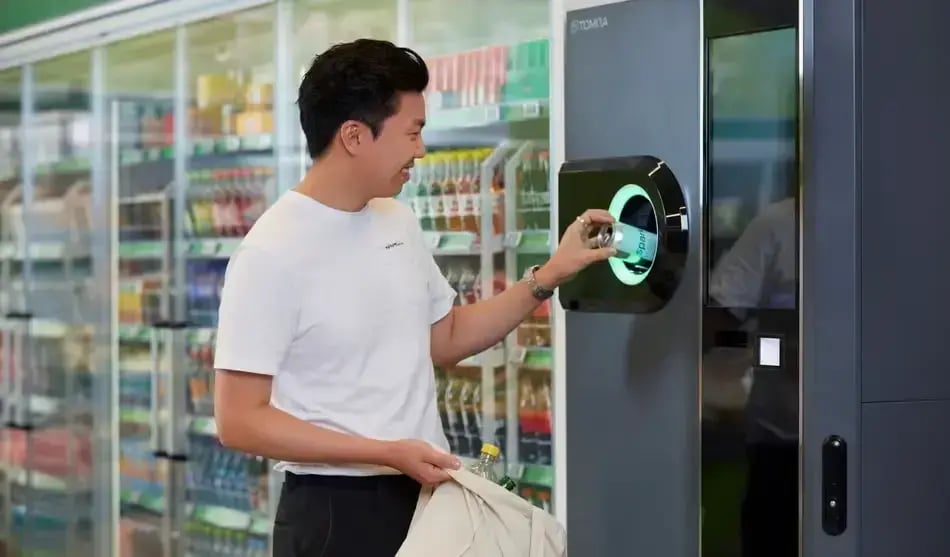
The specifics of how your store handles physical returns depend on your size and volume. Larger retailers typically install reverse vending machines (RVMs), which are automated machines where customers can feed in empty containers and receive a printed voucher to redeem at the register.
(Image source: TOMRA)
Smaller stores without RVMs typically handle returns manually, which means you need a designated space that’s separate from the sales floor — somewhere with good ventilation and easy-to-clean surfaces, since returned containers can be sticky or wet.
Wherever returns happen in your store, you need to post clear signage listing out which containers you accept, the deposit amounts, and any per-visit return limits your state allows.
In New York, for example, retailers can cap returns at 240 containers per customer per visit, but only if they have a sign posted stating that limit.
As a retailer, you also need to know what you’re legally allowed to decline. Business owners can refuse containers that don’t indicate a refund value, broken bottles, corroded or dismembered cans, containers with free-flowing liquid inside, and containers with significant amounts of foreign material, like paper or cigarette butts.
When training employees on bottle deposit procedures, ensure they understand the following:
- Know which products carry a deposit fee. Staff should be able to answer a customer’s question at the register without hesitation.
- Learn how to process a return at the register. Walk through the exact steps with every new hire — don’t leave them to figure it out during a live transaction.
- Understand which containers you accept and which you don’t. Broken, unlabeled, or containers with liquid inside are all valid grounds to decline a return.
- Have a script ready for disputed declines. A customer who disagrees with a declined container needs a consistent, calm response — give staff the words to use before they need them.
- Treat deposit amounts as fixed. They are not a line item staff can waive, adjust, or discount under any circumstance.
Get the Right Setup for Bottle Deposits at Your Liquor Store
While bottle deposits are relatively straightforward, it can be easy to lose or mismanage documentation without the proper systems in place.
Collecting the correct amounts, accepting returns, keeping deposits out of your revenue totals, and training staff to handle all of it consistently — each of those steps is an opportunity for something to slip through.
The easiest way to get all of that right is to start with a POS system built for liquor retail. Bottle POS handles deposit collection, nontaxable flagging, return processing, and reporting automatically, so your staff doesn’t have to spend extra time manually tracking anything, and your records are always audit-ready.
Use our free Build & Price tool to design the ideal setup for your store — and never leave money on the table over a missed deposit.

With 20 years in retail — 10 in the liquor industry — Kevin Patel has seen it all. A liquor store owner himself, Kevin wants to give other small business owners the technology to compete with big box stores. Kevin writes extensively about profits, marketing, and inventory management — three topics he believes every liquor store owner should learn about. "I built Bottle POS to make enterprise tools, mobile inventory, and cloud technology affordable so independent stores can compete with big chains."