




Best Santé Alternatives for Liquor Stores (2026)
Running a liquor store is a nonstop job. Between serving shoppers, moving bottles in and out, and handling everything else a small business demands, it's easy to stretch yourself thin.
The right liquor store point of sale (POS) system can carry some of that load, so you can spend less time on admin and more time helping customers find their next favorite bottle.
Below is our list of the seven best liquor store POS systems, followed by what to look for, how to evaluate providers, and what it all costs.
In this article:
- The 7 best liquor store POS systems
- Key features to look for in a liquor store POS system
- Why is it important to adopt a liquor store POS system?
- How to shop for a liquor store POS system
- How much does a liquor store POS system cost?
The 7 Best Liquor Store POS Systems at a Glance
Here's a quick comparison. You can find details on each provider below the table.
Pricing is as of October 2026. Confirm current rates with each provider before you buy.
1. Bottle POS
Best for: Small to mid-size liquor, wine, and beer stores that want to speed up invoicing, see what's selling, and give customers a convenient shopping experience
Bottle POS is our top pick as the best overall POS system for liquor stores. It's built by and for liquor store owners, with everything you need to simplify daily operations and increase sales.
Top features
- Speedy age verification: Prompt cashiers to verify age automatically, and read IDs (and UPCs) with a compatible 2D barcode scanner.
- Centralized liquor product database: Access the built-in database of more than 20,000 common liquor, wine, and beer products to update your inventory or migrate stock from an old system.
- Built-in customer loyalty: Opt customers into your loyalty program at checkout so they start earning rewards, and track purchase history for better recommendations and segmented marketing.
- Auto ranking: Grade your liquor, beer, and wine from A to D with color-coded labels, so you can spot your fastest and slowest movers and make better reorder decisions.
- Auto invoicing and integrated POs: Skip tedious data entry. Update stock against a purchase order through fintech vendor integrations, or scan a PDF or paper invoice with our AI-powered auto PO feature.
- Detailed reporting: Use custom and prebuilt reports to see store performance, product profit margins, peak hours, and other key metrics.
Pricing: Bottle POS offers flexible pricing options based on your needs, with plans starting as low as $59/month. Support and onboarding help are included.
2. Santé
.png?width=871&height=312&name=Untitled%20design%20(7).png)
Best for: Tech-savvy liquor store owners who want to take full advantage of online sales and integrations
Santé is another POS built specifically for liquor retail. Its next-gen features suit stores ready to step up their online and third-party sales.
Top features
- AI-powered receiving and ordering: Scan distributor invoices with AI to skip manual entry, and use AI-assisted reordering that factors in your budget, distributor deals, and shopper trends.
- Bottle and keg deposits: Automate deposits based on product eligibility in your state, with returns handled at the register.
- E-commerce and delivery: Build an online store from templates with auto-generated product descriptions, and take orders from DoorDash and Uber Eats.
- Integrations: Connect to QuickBooks, Google Shopping, Wine-Searcher, Vivino, and more.
- Inventory flexibility: Break cases and packs, run stock counts from a mobile app, and manage multiple stores from one place.
Pricing: Santé doesn't publish prices. Visit their website for pricing details or to request a demo.
POS Comparison: Bottle POS vs. Santé
3. National Retail Solutions (NRS)
.png?width=879&height=315&name=Untitled%20design%20(6).png)
Best for: Businesses that sell a mix of standard retail and liquor items and don't need all the specialized features in liquor POS software
NRS gives owners control over daily operations, inventory, and customer engagement, and its tiered plans let you choose the features and hardware you need. It isn't built specifically for liquor retail, but it handles many liquor needs, including license ID scanning.
Top features
- Tiered plans with add-on tools: Start with the essentials, then move up to plans that add e-commerce, loyalty, and advanced reporting.
- Targeted promotions: Run product-specific discounts, quantity-based deals, and customer-facing in-store ads.
- Vendor integrations: Use Vendors+ (a vendor management system available as a premium add-on) to speed up purchase orders and restocking.
- Advanced data reports: Analyze profit, compare performance, and track sales and inventory.
Pricing: Plans start at $19.95/month (Basic) when you use NRS Pay for processing, or $29.95/month without it.
POS Comparison: Bottle POS vs. NRS
4. mPower Beverage POS.png?width=879&height=315&name=Untitled%20design%20(9).png)
Best for: Liquor stores that need state-specific compliance and reporting, especially in Texas and Pennsylvania
mPower is built only for beer, wine, and spirits retail, with state-specific compliance tools for operators in 46 states plus Washington, D.C.
Top features
- Multilocation management: View centralized reporting, pricing, and promotions across stores.
- Flexible integrations: Extend mPower with e-commerce, accounting, and other integrations.
- U.S.-based support: Work with an in-house support team.
- Industry-specific connections: Connect with fintech vendors, Texas wholesale accounts reporting, PA beer distributor-specific software, and more.
Pricing: mPower doesn’t publish prices. Visit their website for more information.
POS Comparison: Bottle POS vs. mPower Beverage
5. Lightspeed
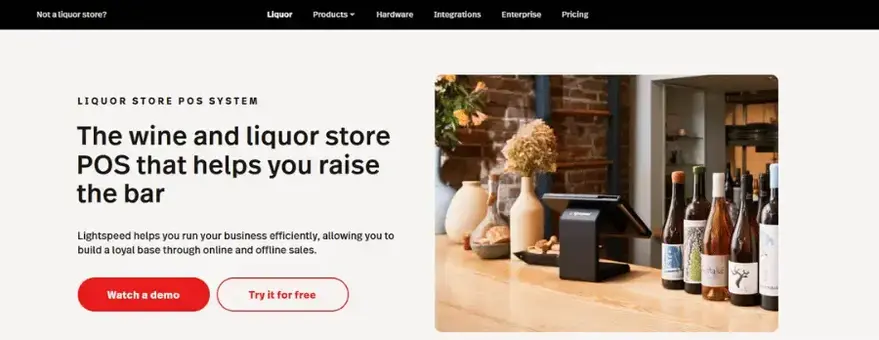
Best for: Large or multi-state liquor businesses that need an all-in-one way to manage multiple stores
Based in Canada, Lightspeed is a POS provider for retailers, restaurants, and golf courses. With inventory tools, multichannel reporting, and software that scales, it fits large operations that are still growing.
Top features
- Supplier catalogs: Browse supplier catalogs and order from your POS.
- Multilocation support: Track performance and inventory across locations for easier transfers and better forecasting.
- Omnichannel sales: Manage in-store, online, and subscription orders in one system.
- Customer management and loyalty: Identify repeat buyers and shopper behavior, and run targeted promotions across locations and channels.
- Open API: Connect to accounting, marketing, and e-commerce tools.
Pricing: Plans start at $89/month. Each plan includes one register, and extra registers and locations cost more.
POS Comparison: Bottle POS vs. Lightspeed
6. KORONA POS
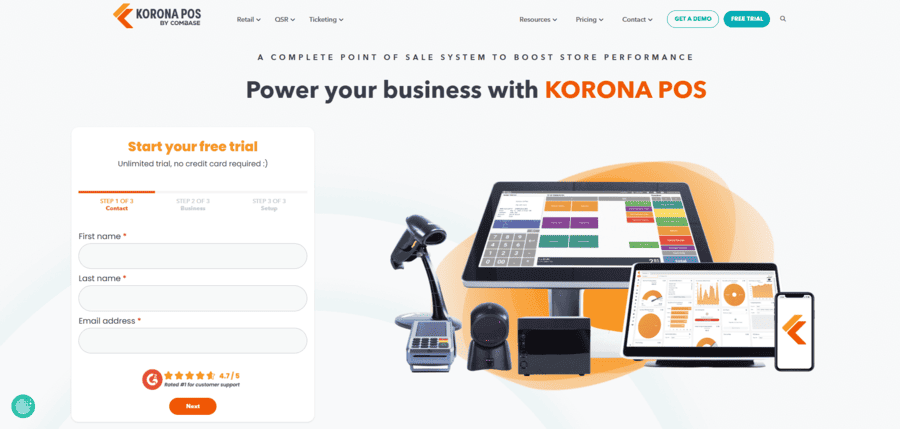
Best for: Liquor stores that also sell THC products, or stores that want advanced marketing features
KORONA POS serves retailers from bookstores and hardware stores to liquor and tobacco shops. Its inventory and reporting are comparable to others on this list, but it stands out for marketing and promotions.
Top features
- Auto ordering: Avoid stockouts with automated orders based on par levels.
- Dispensary support: Sell THC products with age verification, purchase limits, and batch records.
- Customizable promotions: Set up coupons, bundled deals, mix and match, and other promotions.
- Powerful CRM: Track customer details and send personalized offers by email and SMS.
Pricing: Plans start at $59/month. Payment processing is separate, so you can choose your own processor.
POS Comparison: Bottle POS vs. KORONA POS
7. Scotch POS
.png?width=1200&height=430&name=Untitled%20design%20(8).png)
Best for: Liquor stores opening a new location or replacing aging equipment that want an all-in-one setup and hands-on installation
Scotch is a Denver-based POS built exclusively for liquor retail. It brings POS, back office management, and e-commerce into one system, and its installers set it up for you in the store.
Top features
- Liquor-specific hardware: Get a terminal, card reader, scanner, cash drawer, receipt printer, and label printer in one setup.
- Automated invoice receiving: Scan distributor invoices and match items to inventory without manual entry.
- AI-assisted purchase orders: Receive ordering recommendations based on days of supply and seasonal demand.
- Offline mode: Keep ringing up sales even if your internet goes down.
- Hands-on onboarding: Rely on the Scotch team for on-site installation, training, and inventory transfer.
Pricing: Scotch doesn't publish prices. Visit their website for more details on pricing.
POS Comparisons: Bottle POS vs. Scotch POS
Key Features To Look For in a Liquor Store POS System
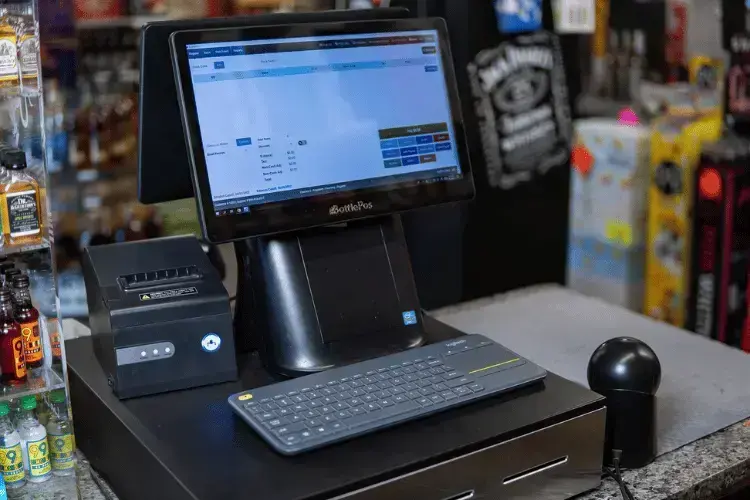
Now that you've seen how the top providers compare, here's what separates a good liquor store POS from the rest.
A POS system is the hardware (touchscreens, barcode scanners, cash drawers) and software that businesses use to ring up customers, manage inventory, track employees, and run daily operations. A liquor store POS adds specialized features on top of standard functionality.
That matters because owning a liquor store comes with unique challenges. Along with customer service and marketing, you juggle hundreds (if not thousands) of SKUs, follow complex legal requirements, and have to prevent underage sales. General retail POS systems often fall short here. Along with standard features like digital inventory and payments, look for:
- Inventory management with advanced features such as case breaks, purchase order automation, low-stock reports, and real-time stock monitoring
- Fast, secure checkout with integrated payment processing that accepts chip cards, tap-to-pay, and mobile wallets, plus built-in age verification, including ID scanning
- Reporting and analytics that show your best sellers, margins, and customer shopping habits so you can make profitable stocking decisions
- Marketing features like customer loyalty, promotions such as bundles and mix-and-match deals (think build-your-own six-pack), and integrations that drive more sales
- Compliance features such as bottle deposit support, accurate tax rate management, age verification records, and detailed inventory reports
- Cloud access so you can check sales, update prices, and manage inventory for every location from a phone or laptop, even when you are not in the store
- An easy-to-learn interface so a new cashier can ring up sales, scan items, and apply discounts on day one
With a POS built for your needs, you can run your store with confidence.
Why Is It Important To Adopt a Liquor Store POS System?
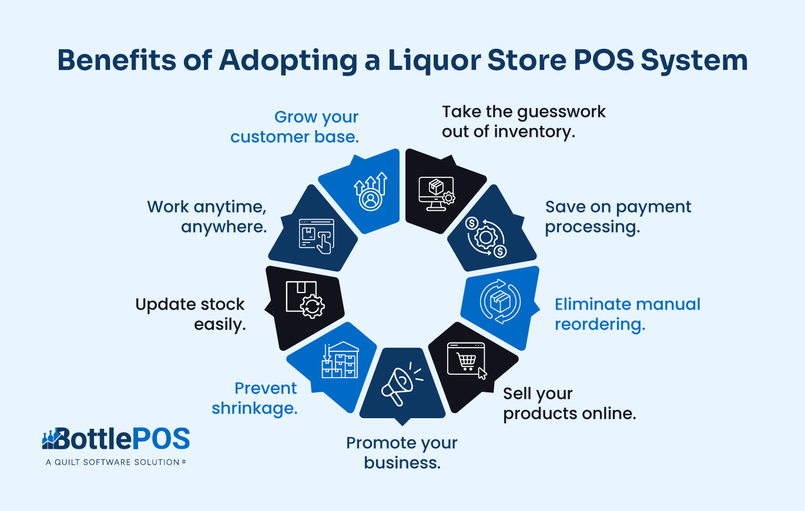
You may already have a generic retail POS, or you manage inventory in spreadsheets. If it feels like that’s working, a liquor store POS can still improve your business in these ways.
If you want a better way to manage your business, reduce stress, and maximize profits, a liquor store POS is a no-brainer. It's built around your exact business and its roadblocks.
How To Shop for a Liquor Store POS System
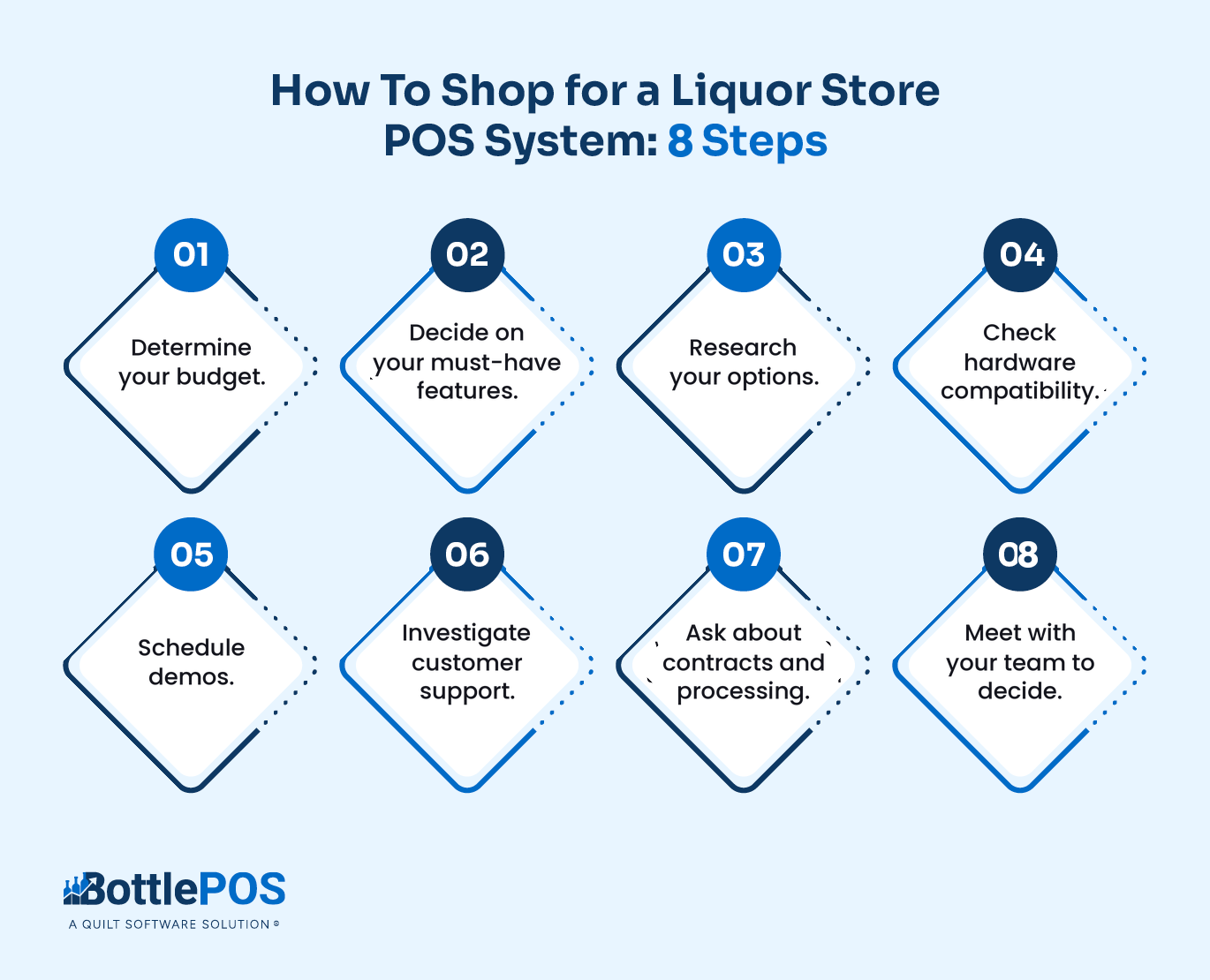
Now that you know how a liquor store POS can help, here's how to choose the right one for your store:
Follow these steps and you'll land on a system that matches your goals and budget.
How Much Does a Liquor Store POS System Cost?
As the providers above show, liquor store POS software runs from about $20 to $289 per month, and some providers only offer custom quotes. The monthly fee is only part of the picture. Your total cost comes from three places:
- Software: Monthly fees vary by provider and rise with higher plans, more registers, and add-ons.
- Hardware: Some vendors charge for terminals, scanners, printers, and ID scanners, while others bundle them or offer discounts.
- Payment processing: This is often the highest ongoing cost. Compare interchange-plus, flat-rate, and dual pricing, and ask if the vendor requires its own processing.
When you compare quotes, add up all three over a full year instead of relying on the monthly sticker price. Our Build and Price tool shows what a full Bottle POS setup would cost your store.
Three questions come up most often as owners weigh price against fit.
1. Can a general retail POS work for a liquor store?
It can, but you'll likely hit gaps. General retail systems like Square and Shopify can ring up sales and track basic inventory, and some small stores start there. As your catalog grows, liquor-specific needs show up fast: case breaks, bottle deposits, ID scanning, distributor invoice receiving, and state tax and reporting rules. Liquor-specific POS systems are built around those workflows, so you spend less time on workarounds.
If your store sells a mix of liquor and other retail goods, a flexible system like NRS may still make sense. If liquor is most of your business, a liquor-specific system is usually the better fit.
2. Flat-rate vs. dual pricing: Which is better for a liquor store?
Flat-rate pricing means you pay a fixed percentage on every card transaction. Dual pricing (sometimes called cash discount) shows a cash price and a card price at the register, so card-paying customers cover the processing fee instead of your margin.
Dual pricing can cut your effective processing costs significantly, especially for high-volume stores, but it changes what customers see at checkout. Flat-rate pricing is simpler and more predictable. Whichever you prefer, ask whether the vendor supports both so you can switch if your needs change. Bottle POS offers interchange-plus, flat-rate, and dual pricing options.
3. Should you choose a liquor POS with a long-term contract?
Look closely at contract terms before you commit. Some vendors lock you into multiyear agreements or require their own card processing, which can make leaving expensive when the system falls short. Ask every vendor for the contract length, early termination fees, and what happens to your hardware and data if you cancel.
Get Started With the Best Liquor Store POS System
Choosing a liquor store POS doesn’t have to be a headache. Look for a provider with reliable hardware, liquor-specific software, flexible pricing, and 24/7 support.
Bottle POS checks each of those boxes. Our software helps you keep shelves stocked, customers happy, and profits strong, and our team supports you from your grand opening to your store’s 10th anniversary.
See Bottle POS in action by scheduling your personalized demo today.

With 20 years in retail — 10 in the liquor industry — Kevin Patel has seen it all. A liquor store owner himself, Kevin wants to give other small business owners the technology to compete with big box stores. Kevin writes extensively about profits, marketing, and inventory management — three topics he believes every liquor store owner should learn about. "I built Bottle POS to make enterprise tools, mobile inventory, and cloud technology affordable so independent stores can compete with big chains."