


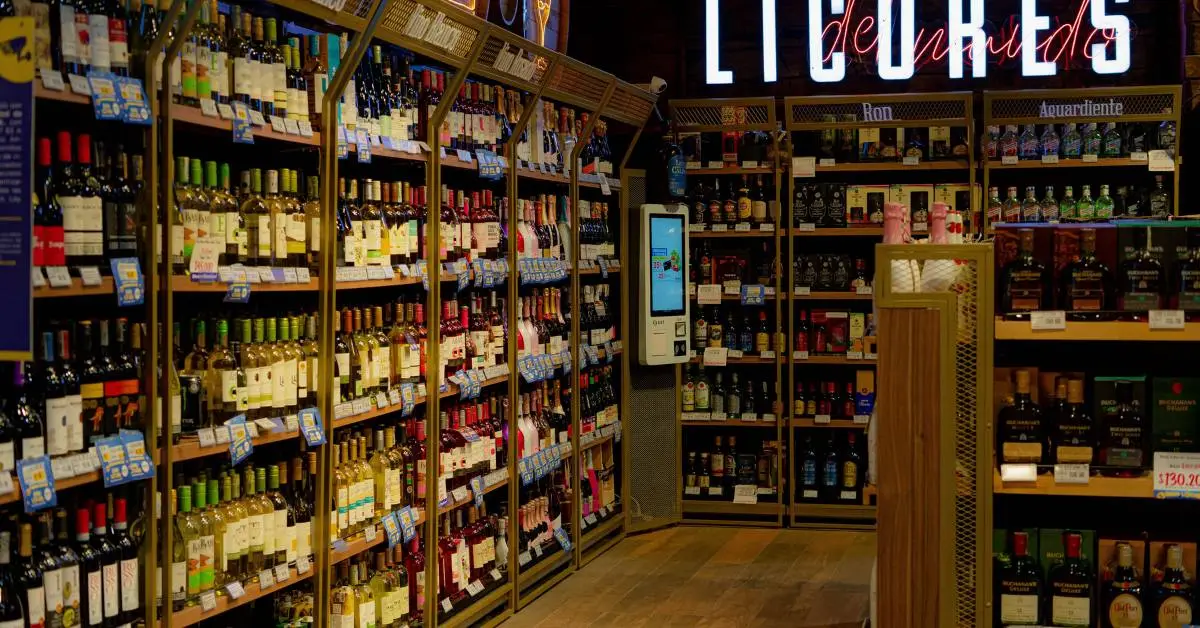


The Full Pour: Recapping the Bottle POS Retail Liquor Summit 2026
You know a baseball player is strong if they have a high batting average. You know a stock is a strong buy if it has a good price-to-earnings ratio.
So, what numbers tell you if your liquor store inventory is on track for success?
You have customers in your store every day. You can easily pay your utilities and the lease on your property. Your store must be doing well, then, right?
Not necessarily.
If you don’t manage your inventory at peak efficiency, you may be in trouble down the road — even if things look like sunshine and rainbows right now. But how can you tell if your liquor inventory processes are optimal? It’s simple: Track essential inventory metrics.
This post covers the essential inventory metrics every liquor store owner should track. For each, we’ll cover what it is, why it’s important, and how you can calculate it for your store.
Why Liquor Stores Need To Track Inventory Metrics
Before we examine the essential inventory metrics you need to track for your store, let’s answer a foundational question: Why is tracking inventory metrics so important in the first place?
Managing liquor inventory is the key way store owners and managers track what’s happening in store, spot swings in demand, and capitalize on opportunities. With the right metrics in place, you can identify top-selling products, spot slow-moving items, and avoid stockouts.
In short, if you want your liquor store to thrive, inventory tracking is an absolute must.
Inventory Metrics: Setting the Baseline
When it comes to tracking inventory metrics, you have two options: tracking manually or using an inventory management & POS system. Doing it manually might work if you have a small store with a limited product range.
However, most liquor stores have hundreds, if not thousands, of unique items, and manual tracking quickly becomes a nightmare — time-consuming and extremely error-prone.
A POS system shines by simplifying this process. Automated inventory tracking updates your stock levels based on your invoices, and then adjusts as you make sales in real time.
The bottom line? You need a POS system. Let’s look at some of the basic steps to take before you start tracking more advanced inventory metrics:
- Assign stock keeping units (SKUs) to each product. SKUs are unique identifiers for your items, making tracking and managing them easier.
- Use the case-break or consolidated inventory functions on your POS system to avoid duplicate stock entries for the same product (e.g., a bottle vs. a case of wine or multiple-size bottles of the same vodka). This ensures you have an accurate view of stock levels and sales, regardless of how many varieties you have in your selection.
- Populate your POS system with detailed product descriptions. These descriptions help you quickly identify items, especially if you have a wide variety of liquors and spirits. Many industry-specific systems have a built-in product database to pull this information from.
Sure, investing in a modern POS system has upfront costs, but the long-term benefits far outweigh the drawbacks. Consider it a smart move for a thriving and efficient liquor store.
Track These 5 Inventory Metrics To Reduce Costs and Improve Your Selection
Once you have a digital version of your inventory, you can start to track metrics and — more importantly — take more control of your stock levels, selection, and costs.
Inventory metrics do not exist in isolation. They work best when combined with broader store analytics and reporting to give you a complete picture of your business performance. If you are not yet tracking your store's key performance indicators alongside your inventory data, it is worth understanding how the two connect — your inventory metrics feed directly into your overall liquor store KPIs and financial health.

Here are five inventory-specific metrics to start tracking right away.
1. Lead Time
Lead time refers to how long it takes for a liquor store to receive new inventory after placing an order with a supplier. It's the time that elapses from the second you initiate the purchase to the moment products are physically available on your store's shelves.
To calculate lead time, track the time between placing an order and the actual delivery date.
Why is lead time important? Knowing the timing of your reorders is essential to avoid stockouts. Combine this information with sales data, and you can set low-stock thresholds for popular items.
|
An example: Say you have a popular brand of whiskey that consistently sells about eight bottles a day. You know the lead time for that whiskey’s supplier is about four days. You set a low-stock threshold when you have 40 bottles left in inventory (32 bottles would be right on time, but you leave yourself a little wiggle room). This ensures that brand of whiskey shows up on a low-stock report before you run out, and you can generate a purchase order with time to spare. |
Related Read: How To Use Point of Sale Analytics To Grow Your Liquor Store
2. Days on Hand
Days on hand represents the average number of days a liquor product stays in your store before it’s sold or used. This metric helps liquor store owners understand how quickly their inventory moves.
To calculate days on hand, divide your average inventory by the cost of goods sold (COGS) over the number of days in a set period.
This metric is essential for liquor stores because it directly relates to inventory management and cash flow. High days on hand may indicate slow-moving products or overstocking, while low days on hand may lead to stockouts and missed sales opportunities.
Put another way, if you sell an item faster or slower than expected, you might want to adjust the amount you order.
|
An example: If you have $3,000 worth of Apothic red wine in stock, and your average daily sales for it are $100, then the days on hand is 30 days. Knowing the total value of your inventory on hand is important. It represents potential sales and profits — but until you know how your inventory actually moves, you might be over- or understocking in key areas. |
3. Dead Stock
Dead stock refers to items in a liquor store's inventory that haven't sold any units within a specific time frame, often measured in months. These products have become obsolete or are no longer in demand.
To calculate dead stock, count the number of units of a particular item that hasn't sold within a defined period, say six months.
Monitoring dead stock helps you identify slow-moving items tying up valuable shelf space and capital. Dead stock is usually the result of a few things. Generally, it means:
- An item simply isn’t popular with your customers (and it might be time to phase it out).
- These bottles are hard to find or not prominently featured in your store layout.
- Sales of these items are highly seasonal.
It’s worth saying again: If an item is lagging in sales, you don’t necessarily need to eliminate it. Check the sales history to see if the problem is with the item itself or if your demand forecasting is to blame.
By addressing dead stock, store owners can make better purchasing decisions and free up space for more popular products.
|
An example: This year, you decided to expand your selection of ready-to-drink (RTD) canned cocktails. After six months, you start to see that a few brands of canned mojitos and highballs have turned into dead stock, while your canned gin and tonics, hard seltzers, and other items are healthy. Based on this, you decide to heavily discount the highballs and phase them out. This allows you to fill up shelf space with brands that perform better. |
4. Stock Turnover Ratio
Your stock turnover ratio measures how efficiently your liquor store manages inventory by indicating how often inventory is sold and replaced within a specific period, typically a year. A high stock turnover ratio indicates the store is selling products quickly and efficiently, while a low ratio may imply slow-moving inventory.
To calculate the stock turnover ratio, divide the COGS by the average inventory value.
This metric helps optimize inventory levels, reduces holding costs, and ensures the store keeps up with customer demand.
We recommend breaking down your stock turnover rates by product category instead of your inventory as a whole. This helps you fine-tune your reorder rates and selection in specific sections of your store.
|
An example: Tequila has been a popular item this year, and when you calculate your stock turnover by category, you see that tequila turnover is high (as expected) — but a few “premium” SKUs are constantly out of stock. This tells you you’re understocked on popular bottles, so you raise the reorder point of these premium tequilas to ensure you have more on hand. |
5. Sell-Through Rate
Sell-through rate indicates the percentage of inventory a liquor store sells within a specific time frame.
Compared to stock turnover metrics that measure average inventory turnover or category sales, the sell-through rate is most useful for specific products over a defined window (usually seasonal or new items). It answers: “Of what I brought in, how much did I actually sell?”
To calculate the sell-through rate, divide the total number of units sold for a specific product by the initial inventory quantity of that product, and then multiply by 100 to get the percentage.
A high sell-through rate suggests that specific products are in demand and moving quickly, while a low rate may indicate slow-moving or less popular items. This metric helps liquor stores identify which products perform well and which may need adjustments in retail pricing, promotion, or marketing efforts.
|
An example: For the holiday season, you create an RTD cocktail sampler set with the goal of having an 80–90% sell-through rate by the next delivery window in two weeks. If, after the first week, the sell-through rate is already at 65%, you have a strong indicator it’s resonating with customers. On the other hand, if the sell-through rate in week one is only 15–20%, it might not be worth reordering. |
Get Better Visibility With Bottle POS’ Automated Product Ranking
If you feel a bit overwhelmed after reading this, we understand. Manually calculating all of these inventory metrics can be tough. Luckily, with a modern liquor store POS system, you don’t have to.
Systems like Bottle POS track your sales and inventory information automatically and turn it into helpful graphs and reports you can use to make better decisions.
Bottle POS makes tracking your inventory even easier thanks to our unique auto ranking feature. Auto ranking assigns a letter from A to D based on your recent sales volume, giving you an immediate view of the specific bottles driving your sales.
To get a full overview of Bottle POS’ useful reports and features, schedule a personalized demo today.

With 20 years in retail — 10 in the liquor industry — Kevin Patel has seen it all. A liquor store owner himself, Kevin wants to give other small business owners the technology to compete with big box stores. Kevin writes extensively about profits, marketing, and inventory management — three topics he believes every liquor store owner should learn about. "I built Bottle POS to make enterprise tools, mobile inventory, and cloud technology affordable so independent stores can compete with big chains."