




The Full Pour: Recapping the Bottle POS Retail Liquor Summit 2026
There’s a thief in your store — one that’s stealing your time and energy away from customers and keeping you chained to your desk in the back office.
Every week, you spend countless hours receiving deliveries, cross-checking invoices, hunting down product entries, and updating inventory records one line at a time. Keeping up with this paperwork is important for well-stocked shelves, but it doesn’t leave you any free time to spend on marketing, digging into sales reports, or growing your business.
But there’s good news: Liquor store invoicing doesn’t have to look like this.
In this blog, we’ll explore challenges and solutions for liquor store invoicing, helping you turn this painstaking process into one that takes minutes.

Is Liquor Store Invoicing Slowing You Down?
Invoicing seems simple: A delivery arrives, you check what came in, and you update your records. However, liquor stores face a few unique challenges when it comes to receiving new stock.
First, the stakes are high. Clean receiving records are required to pass audits and stay compliant with alcohol control laws.
Next is the huge range of SKUs on your shelves and in your inventory shipments. Every product can exist in multiple formats — a 750ml bottle, a 1L, a 1.75L handle, a single can, a four-pack, a six-pack, a case — and each one is a separate inventory entry that needs to be tracked, received, and reconciled individually.
If you’re using a generic retail point of sale (POS) solution without case-break functionality, you have to do all of the paperwork manually.
Another problem arises when different vendors have different invoice formats. You can’t develop a single process to handle all your deliveries when they alternate between PDFs, spreadsheets, and handwritten notes. This means more time spent interpreting and manually entering data.
All of this manual entry also increases the chance of error. A small mistake could lead to stockouts that cost you money, sales, and customer trust — or overordering that hurts your cash flow and erodes your profit margin.
Simplifying Liquor Store Invoicing
Ready to reclaim your time and make liquor store inventory effortless and error-free? You just need the right systems and tools.
Let’s take a look at three steps for an invoicing process as smooth as the spirits on your shelves.
1. Track Stock in Real Time
Accurate, up-to-date stock records are essential for smoother invoicing and for effective liquor store inventory management.
If you’re still counting bottles and updating inventory spreadsheets by hand, your numbers have probably drifted from reality — making it difficult to keep your shelves well-stocked and impossible to implement a better invoicing strategy.
That’s why your first step should be to invest in a POS system with real-time inventory tracking specifically designed for liquor stores. Look for:
- Cloud-based design that allows you to check stock levels from anywhere, at any time
- Case-break functionality that lets you receive, track, and sell by the case and bottle without manual unit conversions
- Prebuilt SKU database that eliminates the need to create new entries for all of your products
These features lay the foundation for the next steps of your liquor store invoicing process.

2. Set Up Low-Stock Alerts and Reorder Thresholds
Better liquor store invoicing starts before you receive a delivery — which is why we recommend evaluating how you identify low-stock items and create purchase orders.
Without a solid system in place, you’ll run out of customers’ favorite bottles and lose sales, over-order inventory and create cash flow issues, or spend too much time monitoring your shelves for low-stock products.
Instead, automate the process by setting up low-stock alerts and reorder thresholds. Low-stock alerts help you avoid costly stockouts, and reorder thresholds save you time by automatically generating purchase orders to replenish your customers’ favorite bottles.
These tools might sound expensive, but purpose-built liquor store POS systems like Bottle POS include them right out of the box.
Related Read: Liquor Store Inventory Automation: The Secret to Fewer Stockouts & Better Margins
3. Fully Automate the Receiving Process
The last (and most important) step is to automate the actual liquor store receiving process.
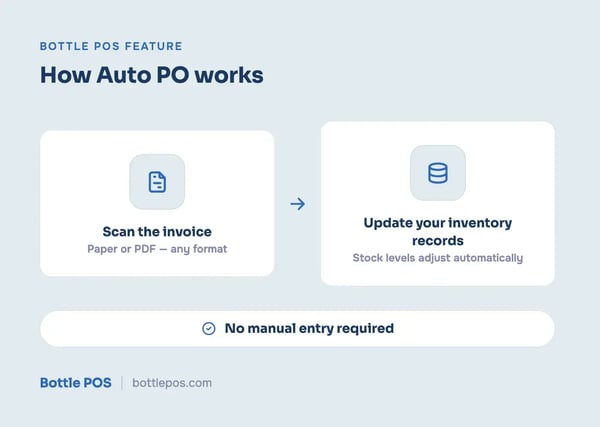
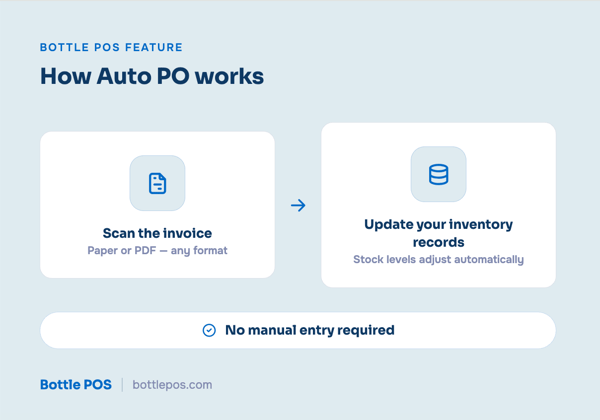
Bottle POS’ auto PO feature uses optical character recognition (OCR) and AI technologies to scan paper or PDF invoices in any format and automatically update your digital records — no manual entry required.
Here’s what the process looks like:
- A delivery arrives with a printed invoice. Instead of working through it line by line, you scan it, and your stock levels update on the spot.
- Since the invoice is digitized, you can easily check it against the actual stock received, helping you spot mistakes or discrepancies.
- Products already in your system are matched and updated automatically. For new items, Bottle POS' prebuilt product database means you're pulling from an existing library of liquor products rather than entering names, sizes, and barcodes from scratch.
This feature saves you full hours each week, prevents errors, and creates consistency for every single delivery. To take things a step further, you can integrate your POS system with Fintech, a payments and invoice management platform that connects directly to thousands of alcohol distributors.
Make Liquor Store Invoicing Easy With Bottle POS
With the right systems and support, liquor store invoicing doesn’t have to be the most stressful part of your job.
If you’re looking to save time, improve inventory accuracy, and protect your bottom line, we’ve got you covered. Bottle POS, our all-in-one liquor store POS solution, includes all the features you need to track stock in real time, automate the replenishment process, and get started with auto PO.
See it in action by scheduling your live, personalized demo with one of our liquor store experts today.


With 20 years in retail — 10 in the liquor industry — Kevin Patel has seen it all. A liquor store owner himself, Kevin wants to give other small business owners the technology to compete with big box stores. Kevin writes extensively about profits, marketing, and inventory management — three topics he believes every liquor store owner should learn about. "I built Bottle POS to make enterprise tools, mobile inventory, and cloud technology affordable so independent stores can compete with big chains."